Mining and Dwarves System Requirements
Store listings as written — including Windows 500 GB versus Mac and Linux 500 MB.
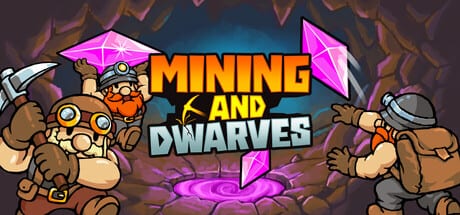
Mining and Dwarves is a 2D Godot incremental. In the room it plays like a lightweight clicker: one mine, a handful of dwarves, a skill tree panel. On the Steam store, the three platform tabs do not tell the same storage story. This page copies the launch listings as written. It does not silently correct a number into a different number and call the new figure a fact. Live table: Steam store page. Official directory: links hub. Hardware advice below is for the 27 August 2026 launch build. Launch notes cover what shipped.
Windows (as listed)
Minimum
- OS: Windows 10 (64-bit). 64-bit processor and operating system required.
- Processor: Intel Core i3 (2.0 GHz) or equivalent.
- Memory: 16 GB RAM.
- Graphics: Integrated graphics (Intel HD 4000 or better).
- Storage: 500 GB available space.
Recommended
The Windows recommended block on the store page is effectively empty beyond the 64-bit requirement. Do not invent a recommended CPU or GPU to fill the hole.
Two things can be true at once. The Windows tab lists 500 GB. The macOS and Linux tabs list 500 MB. A colourful Godot clicker that looks like a few hundred megabytes on Mac Mini M4 hardware is listed at half a terabyte on Windows. This wiki will not declare the Windows line a typo as if we had a signed patch note. Read both figures, then look at the download size Steam actually reports in your client.
macOS (as listed)
Minimum
- OS: macOS Tahoe 26.5.
- Processor: Apple M4 chip.
- Memory: 16 GB RAM.
- Graphics: Integrated graphics (Intel HD 4000 or Apple M1 GPU).
- Storage: 500 MB available space.
- Additional notes: tested on Mac Mini M4.
The Mac tab names a current OS, an M4 test machine, and a 500 MB disk number that matches a small Godot game better than the Windows tab. The graphics line still mentions Intel HD 4000 next to Apple silicon, which is store-template residue. Treat tested on Mac Mini M4 as the real QA sentence. Older Intel Macs are not the listed test target.
Linux and Steam Deck (as listed)
Minimum
- OS: SteamOS 3.6.19.
- Processor: Steam Deck APU or equivalent.
- Memory: 16 GB RAM.
- Graphics: Steam Deck APU or equivalent.
- Storage: 500 MB available space.
- Additional notes: tested on Steam Deck OLED 1TB.
Linux is written as a Deck listing. The 500 MB storage line matches macOS, not Windows. Valve’s Steam Deck compatibility badge can still read as unknown around launch; that badge is a Valve process, not a Sockhouse spec. The developer listing already says they tested on a Deck OLED 1TB. In the mine, that means Auto Click, a parked cursor, and no timed input. Bind details live on the controls guide. If you run desktop Linux rather than SteamOS, Steam Deck APU or equivalent is the listed CPU and GPU line. There is no separate Ubuntu table.
Cloud saves and accessibility
Steam Cloud is listed. Progress follows the Steam account. Confirm Cloud is enabled in the client if you bounce between PC and Deck. The store also lists 22 Steam Achievements, Family Sharing, and single-player only.
Launch listings flag adjustable text size, camera comfort, custom volume controls, mouse-only option, play at your own pace, and playable without timed input. Those flags match the loop. You can enlarge HUD text when dwarves and drops clutter the floor, lower shake if juice becomes noise, and play with only a mouse. There are no quick-time events to fail.
Lightweight Godot versus a 500 GB Windows line
Players coming from other incrementals will expect a few hundred megabytes. Mac and Linux listings agree. Windows lists 500 GB. Keep both numbers in view and let Steam’s actual download size break the tie on your machine. Do not format-shift a drive for this title based on the Windows tab alone. If the Windows storage line bothers you as a store-page error, that is a developer or Steam support question. The contact on the links hub is [email protected].
Use the 500 MB Mac/Linux figure as a sanity check and the 500 GB Windows figure as a listed value, not as gospel. Launch notes cover whether the demo’s hardware feel matches the 27 August 2026 build. The listing discrepancy is paperwork, not a new engine.
Frequently Asked Questions
Quick answers to the most common questions.
Why does Windows list 500 GB when Mac and Linux list 500 MB?
Those are the store figures as written. This page will not silently rewrite the Windows line. Check the download size in Steam. Developer email is on the links hub.
Will Mining and Dwarves run on Steam Deck?
Linux listings name SteamOS 3.6.19, a Deck APU, 500 MB storage, and testing on a Deck OLED 1TB. Use Auto Click; binds are on the controls guide.
Does the game have cloud saves?
Yes. Steam Cloud is listed, along with 22 achievements and Family Sharing. Enable Cloud in the Steam client if you move between PC and Deck.
What accessibility options are listed?
Steam flags include adjustable text size, camera comfort, custom volume, mouse-only play, play at your own pace, and playable without timed input.
Do I need an M4 Mac?
The Mac minimum lists an Apple M4 chip, macOS Tahoe 26.5, 16 GB RAM, 500 MB storage, and tested on Mac Mini M4. That is the listed QA target.
Where do launch notes live?
What shipped on 27 August 2026 is covered in launch notes. Specs on this page stay copied from the store.